Table of Contents
This project is from the Odin Project. I combined concepts from both the ToDo List project and the Weather App project.
Update (July 2026): I have moved this project to Forgejo. I do not have it configured deploy a static demo site so the demo and repo links above still point to GitHub Pages and GitHub, where I originally deployed it. For the Forgejo copy, see my repositories.
Overview
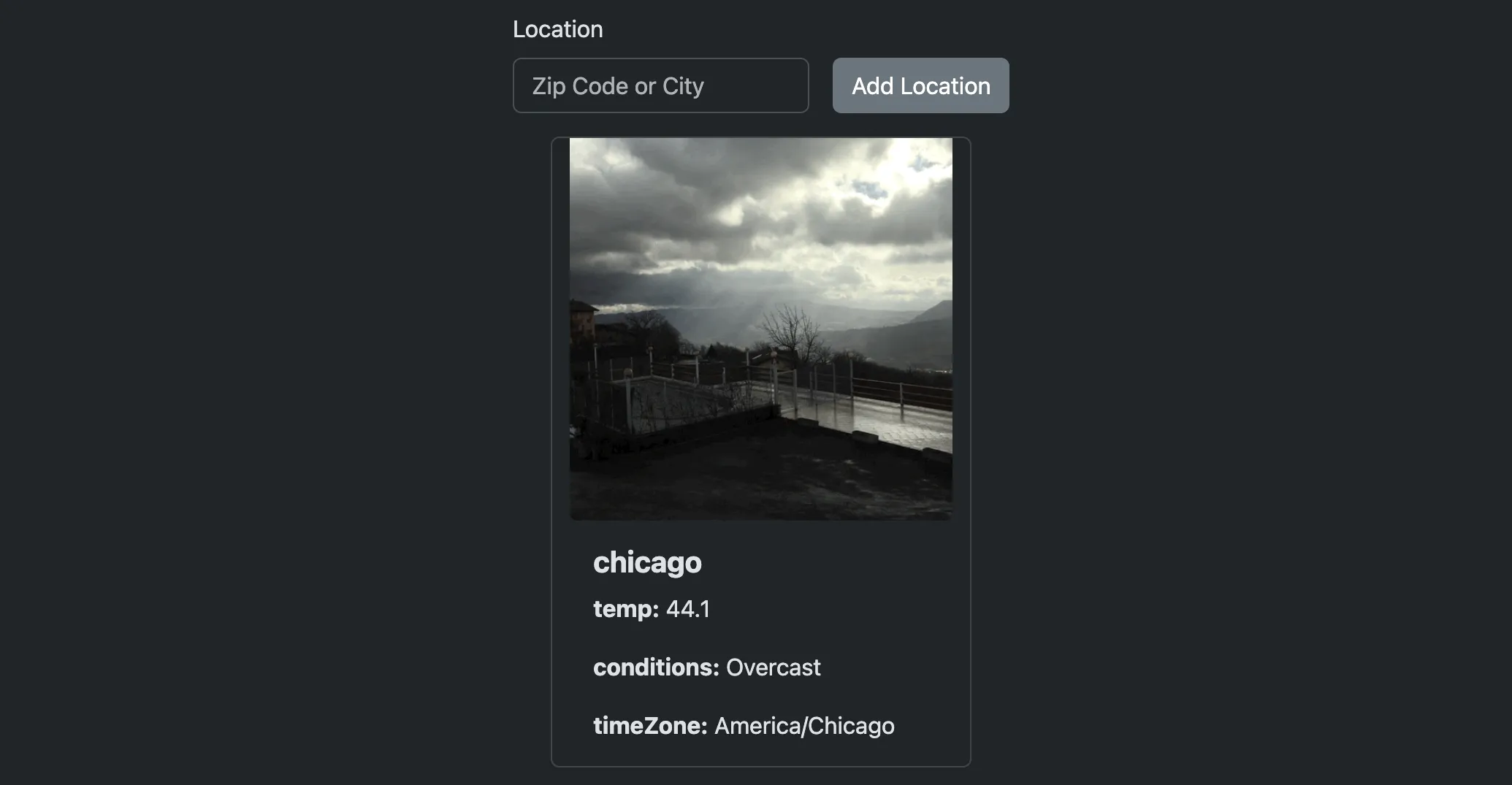
This Weather App is a sophisticated web application that demonstrates modern JavaScript development techniques and best practices. The app fetches and displays real-time weather data for any location, accompanied by thematically appropriate GIFs to represent weather conditions.
Features
- Location-based Weather Data: Enter any city name or zip code to get current weather conditions
- Visual Weather Representation: Each weather condition is paired with a relevant GIF based on weather conditions
- Persistent Storage: Weather data is saved to localStorage for quick access between sessions
- Responsive Design: Built with Bootstrap for a seamless experience across all devices
- Form Validation: Client-side validation ensures proper input formats
Project Structure
odin-weather-app/├── dist/ # Production build files├── src/│ ├── js/│ │ ├── domHandler.js # DOM manipulation module│ │ ├── giphy.js # Giphy API service│ │ ├── storageHandler.js # LocalStorage operations│ │ └── weather.js # Weather API service│ ├── styles/│ │ └── main.css # Custom styles│ ├── index.js # Main application entry point│ └── main.html # HTML template├── eslint.config.mjs # ESLint configuration├── .prettierrc # Prettier configuration├── webpack.common.js # Common webpack configuration├── webpack.dev.js # Development-specific webpack config├── webpack.prod.js # Production-specific webpack config├── package.json # Project dependencies and scripts└── README.md # Project documentationSkills Showcase
- ✅ Modern JavaScript (ES6+) - Classes, arrow functions, destructuring, template literals
- ✅ Asynchronous Programming - Promises, async/await, fetch API
- ✅ Object-Oriented Programming - Class-based architecture with encapsulation
- ✅ Web APIs - Integration with multiple external services
- ✅ Local Storage - Persistent data between sessions
- ✅ Form Validation - Client-side validation using Constraint Validation API
- ✅ Error Handling - Comprehensive error catching and user feedback
- ✅ Build Tools - Webpack configuration with environment-specific settings
- ✅ Development Workflow - NPM scripts, linting, and formatting
Technical Implementation
Architecture
The project follows Object-Oriented Programming principles with a modular architecture:
- Weather Class: Handles API calls to Visual Crossing Weather API
- Giphy Class: Manages fetching relevant GIFs from Giphy API
- DomHandler Class: Controls all DOM manipulations and UI updates
- StorageHandler Class: Manages localStorage operations
JavaScript Skills Demonstrated
Asynchronous JavaScript
The application leverages modern asynchronous JavaScript patterns with async/await for cleaner promise handling. Multiple API calls are coordinated efficiently, with proper error handling throughout the promise chain.
API Integration
The app integrates with multiple external APIs:
- Visual Crossing Weather API for weather data
- Giphy API for weather-relevant GIFs
Form Validation
Custom form validation is implemented using the Constraint Validation API, providing immediate feedback to users about input requirements for zip codes and city names.
Error Handling
Robust error handling with user-friendly messages for different API error conditions, including rate limiting and invalid locations.
Build Tools & Development Environment
Webpack Configuration
Configured Webpack with:
- Source maps for debugging
- CSS loaders
- HTML template processing
- Dev server with hot reloading
The project uses a split webpack configuration for optimal development and production builds:
- webpack.common.js: Shared configuration for both environments
- webpack.dev.js: Development-specific settings with source maps and dev server
- webpack.prod.js: Production-specific optimizations
NPM Scripts
"scripts": { "build": "webpack --config webpack.prod.js", "dev": "webpack serve --open --config webpack.dev.js", "format": "prettier . --write"}Code Quality Tools
- ESLint: Configured for JavaScript, JSON, and CSS linting
- Prettier: Ensures consistent code formatting
- Modern JS: Uses ES6+ features throughout the codebase
Getting Started
Prerequisites
- Node.js
- npm
Installation
git clone https://github.com/jackwaterloo/odin-weather-app.gitcd odin-weather-appnpm installnpm run devAcknowledgments
- The Odin Project for the project inspiration
- Visual Crossing Weather API for weather data
- Giphy API for weather-related GIFs
- Bootstrap for responsive design components