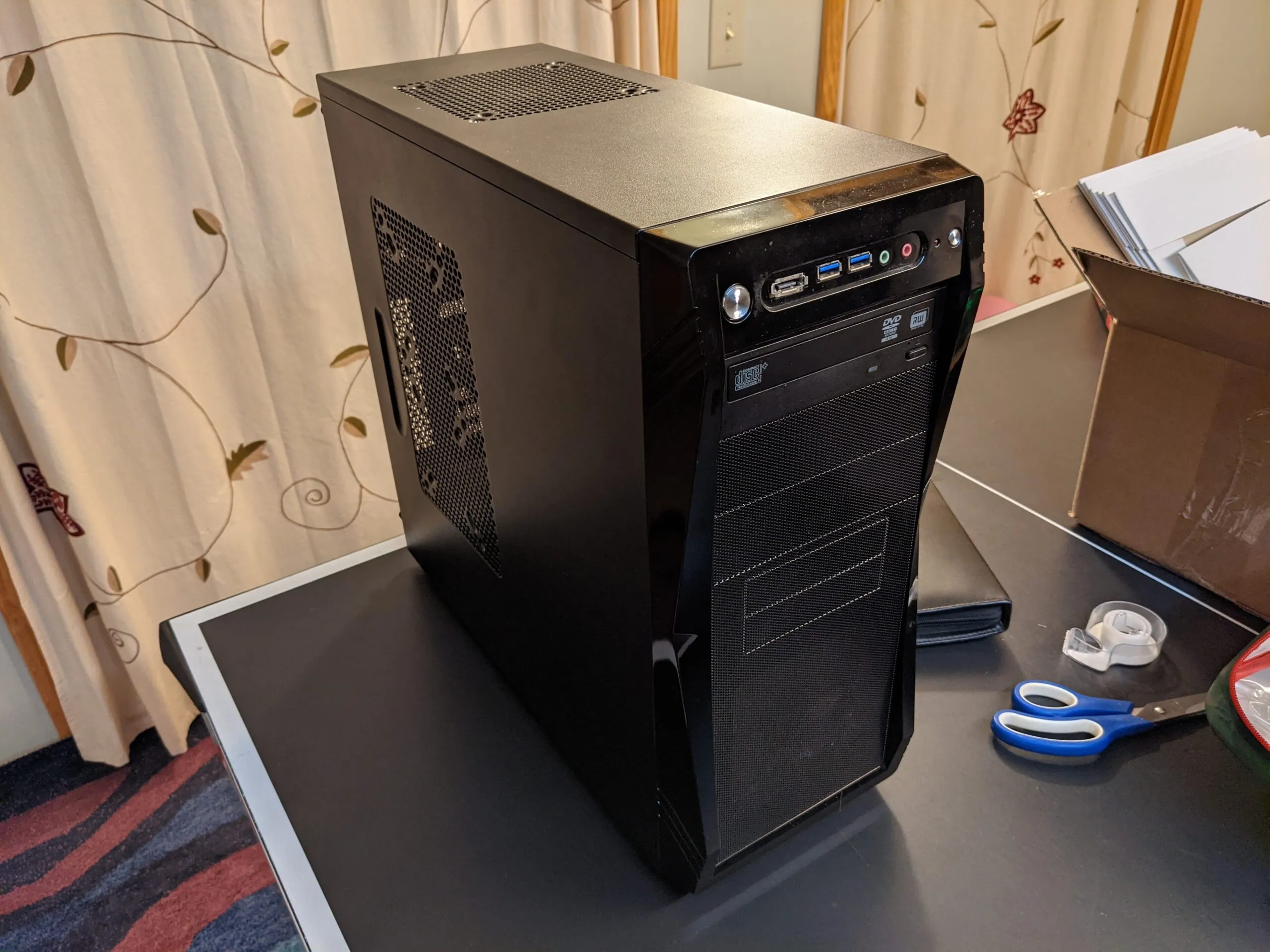
Topics Learned:
- Firmware
- Anatomy of a Computer
- Driver Installation
- OS installation
- Computer component upgrades
- Troubleshooting
- Cooling and TDP importance
The Start
I decided to build a computer right before high school because I was obsessed with video games. I was also on a tight budget and wanted to save as much money as possible. I had heard that building your own was the cheapest way to get into PC gaming, so I figured I would give it a shot. It was the summer after 8th grade, so I had nothing but time.
I started researching everything I needed to know. I knew absolutely nothing and had to learn from scratch. I spent hours watching YouTube videos and reading every article I could find. Eventually, I had enough knowledge and enough money saved up to finally order the parts. The hard part was convincing my mom that I would not just waste the money. She actually made me take apart an old computer we had just to prove I knew what I was doing. She did not want me to buy all these expensive parts and then fail to put them together. I passed her test and finally ordered my parts. These were the components I picked:
- CPU: i3-3220
- RAM: 8GB (2 x 4GB)
- Motherboard: Gigabyte Z77 Extreme 4
- GPU: Radeon HD 7850 2GB
- Storage: 1TB Hard Drive
- PSU: Corsair CX500
When everything arrived, it took me a whole day just to get the motherboard, RAM, and CPU into the case. Then came the wiring, which was a total nightmare. I checked every manual and forum I could find. Since I did not have anyone to help me, I got pretty frustrated.
I ended up walking away from the project for a few days just to clear my head. When I came back to it, I finished the wiring and got ready for the first boot. I hit the power button and, somehow, it actually turned on. Seeing it post to the monitor was such a huge win for me.
Looking back, I definitely messed a few things up. I got the front panel connectors wrong. I think the power switch was the only thing I actually got right. None of the other front ports worked at all. I also completely ignored cable management. The case was pretty bad for it anyway. I could not even fit the main power cable through the back of the case. It just hung right across the middle of everything, which you can see in the photos below.
The biggest issue was the software. I did not realize I actually had to buy Windows to install it. I could not afford the $100 price tag after spending everything on parts. I ended up just setting the PC aside and started saving up again. After a month or so, I started to think I would never actually get it running.
Luckily, SSDs were starting to get popular as boot drives. My dad decided to get one for his own computer and realized he also needed a Windows disk to get it working. When he went to the store, he picked up a copy for me too. I was shocked because my parents usually only spent that kind of money on holidays. He truly resurrected my computer from the ashes.
I installed Windows on my 1TB hard drive and then started the fun part of installing drivers. I am so glad that process is easier now. Back then, USB 3.0 was still pretty new. Even though my hardware supported it, I had to hunt down specific drivers from the manufacturer website just to get the ports to work. It was a total pain. I tried every version of the drivers I could find, but the ports were always flaky. Sometimes things just would not register when I plugged them in. I just kept unplugging and replugging things until they worked. Once they were recognized, I never touched them again. It was not a great solution, but it worked. Because of this driver troubleshooting, I ended up helping my dad fix some driver issues on his PC later on.
I used that computer for four years all the way through high school. Before I left for college, I put it in my closet for storage and did not touch it again for three years.
The Upgrade
Fast forward to spring 2020. COVID had everyone stuck at home, so I decided to get back into PC gaming. I pulled out my old computer and decided it was time for some upgrades. These are the parts I swapped in:
- CPU: i3-3220 → i7-3770
- Cooling: Intel stock cooler → Thermaltake Gravity i2 96W
- RAM: 8GB (2 x 4GB) → 16GB (4 x 4GB)
- Storage: added an ADATA SU635 240GB SSD
- GPU: Radeon HD 7850 2GB → RX 570 4GB
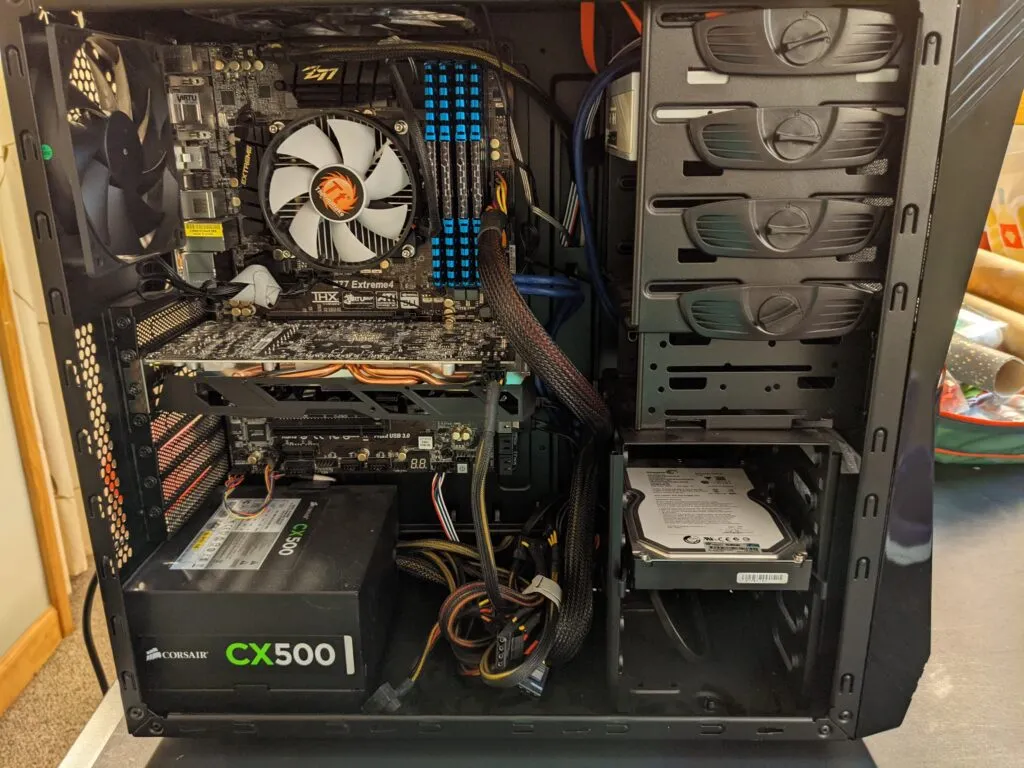
While I was working on it, I realized just how many mistakes I had made the first time around. I finally fixed the front panel connectors so all the ports actually worked. I also managed to fix the USB issues, though it was not exactly easy. I used a USB drive to install Windows this time. I found out the motherboard only lets you boot from the USB 2.0 ports. If you are not in Windows yet, the USB 3.0 ports are basically dead. It was honestly one of the worst motherboard designs I have ever dealt with. I tried using a 3.0 port to boot into the windows USB at first and just kept getting blue screens. The error messages were completely useless and sent me on a wild goose chase. Nothing actually pointed to the USB port being the issue. I eventually just guessed it was the port and tried a different one. After trying every single port, I finally got the installer to load on a 2.0 port.
It was smooth sailing from there. I got all the drivers installed without any trouble. Once the drivers were in, the USB issues completely disappeared. There was a new driver update that had not existed years ago, and it fixed everything. I also spent some time in the BIOS tweaking the fan speeds. Before, I just ran them at 100% all the time, which is probably why it got so dusty. It was way quieter after that.
I was really happy with how it turned out. Adding an SSD made a massive difference. It felt great to finally fix all those old problems. It was cool to see how much I had learned since the first time I built it.
I used that setup for about a year. I eventually sold it in late 2020 because I wanted to build something more modern that I could keep upgrading. I had pushed that old motherboard as far as it could go. It was time for a fresh start.