Table of Contents
This project is from the Odin Project course which can be found here: https://www.theodinproject.com/lessons/node-path-javascript-library
Update (July 2026): I have moved this project to Forgejo. I do not have it configured deploy a static demo site so the demo and repo links above still point to GitHub Pages and GitHub, where I originally deployed it. For the Forgejo copy, see my repositories.
You can also view the project instructions in the project_library.md file. The most up to date instructions will be on the website above.
js-classes Branch
I have also refactored this code using classes. You can view the refactored code in the js-classes branch. On that branch, the README.md is updated to reflect the new JavaScript concepts implemented.
JavaScript Tools and Concepts Demonstrated
Summary:
This project highlights proficiency in JavaScript fundamentals, DOM manipulation, event-driven programming, array/object management, and interactive UI development.
1. Object-Oriented Programming
- Constructor Function: Used to create
Bookobjects, encapsulating book details and behaviors. - Unique Identifiers: Utilizes
crypto.randomUUID()to assign a unique ID to each book for reliable operations.
2. Array Management
- Dynamic Data Storage: Books are managed in the
myLibraryarray, showcasing array manipulation. - Array Methods: Uses
.push(),.findIndex(), and.splice()for adding, finding, and removing books.
3. DOM Manipulation
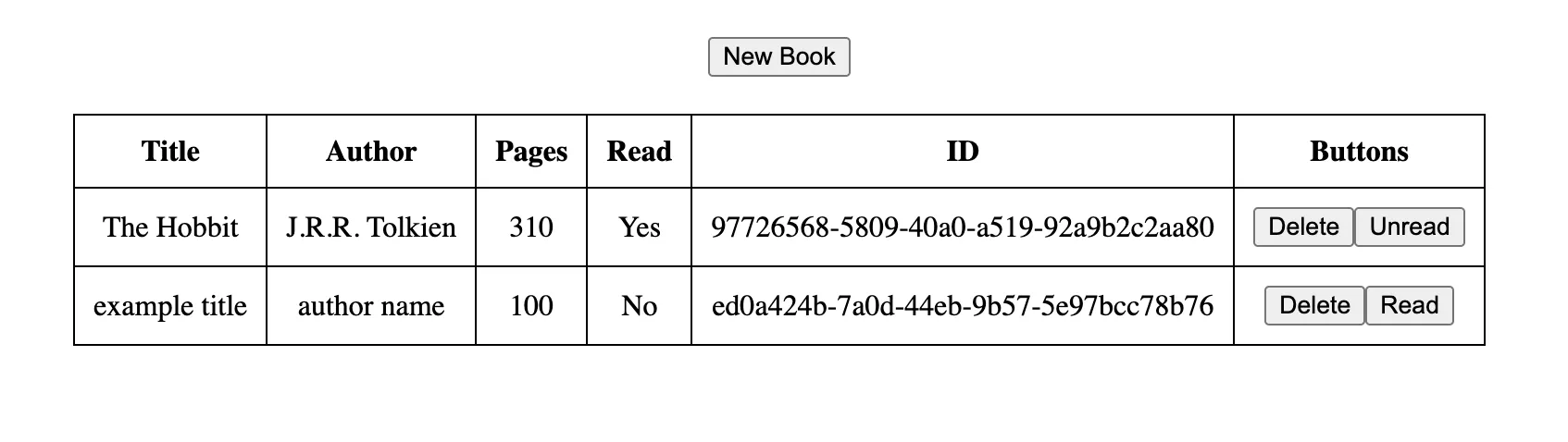
- Dynamic Table Rendering: The UI updates in real time by generating table rows based on the current library state.
- Element Creation & Safe User Data Handling: Uses
document.createElement(),.textContent, and attribute manipulation to build and update the DOM. User input is always inserted using safe DOM methods (like.textContent), never with.innerHTML, to prevent XSS vulnerabilities and ensure secure handling of dynamic content.
4. Event Handling
- Event Listeners: Implements
addEventListener()for user interactions such as adding, deleting, and toggling books.
5. Form Handling and Validation
- Form Submission: Uses JavaScript to handle form events and prevent default browser behavior.
- Input Validation: Ensures all fields are correctly filled before adding a book.
6. Separation of Concerns
- Data vs. Display: Separates logic for managing data from UI rendering for maintainable code.